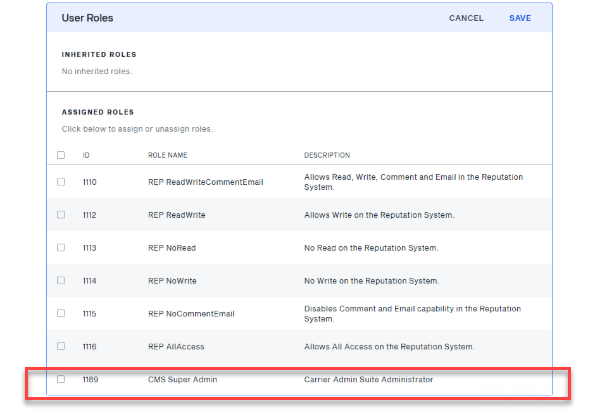
CMS Super Admin role helps administrators control who can manage Qualification Setting (QS) profile. These ensures global qualification rules stay consistent.
To assign the CMS Super Admin to a user:
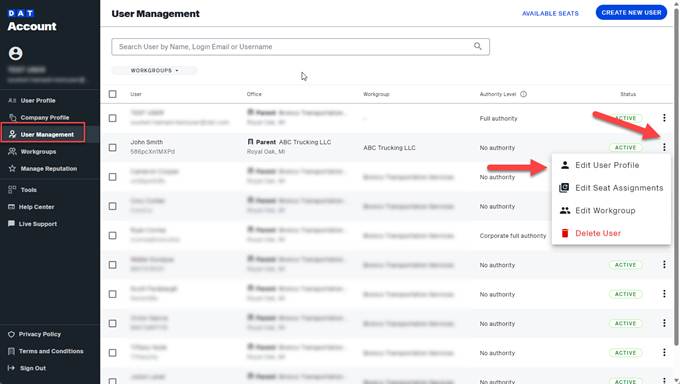
- Navigate to account.dat.com, and click User Management from the left hand-side menu.
- Click the 3 dots next to the user you wish to edit and select Edit User Profile.
- Assign the CMS Super Admin role to the user, an click Save.