
DAT One Web is a responsive platform, meaning the website's layout and content seamlessly adapt to various screen sizes and devices. On screens with a resolution of 1920x1080 or higher, most of the columns, like Origin, Destination, Company, Contact, and Pick-Up in the search results should appear as separate columns. If this does not occur, follow these steps:
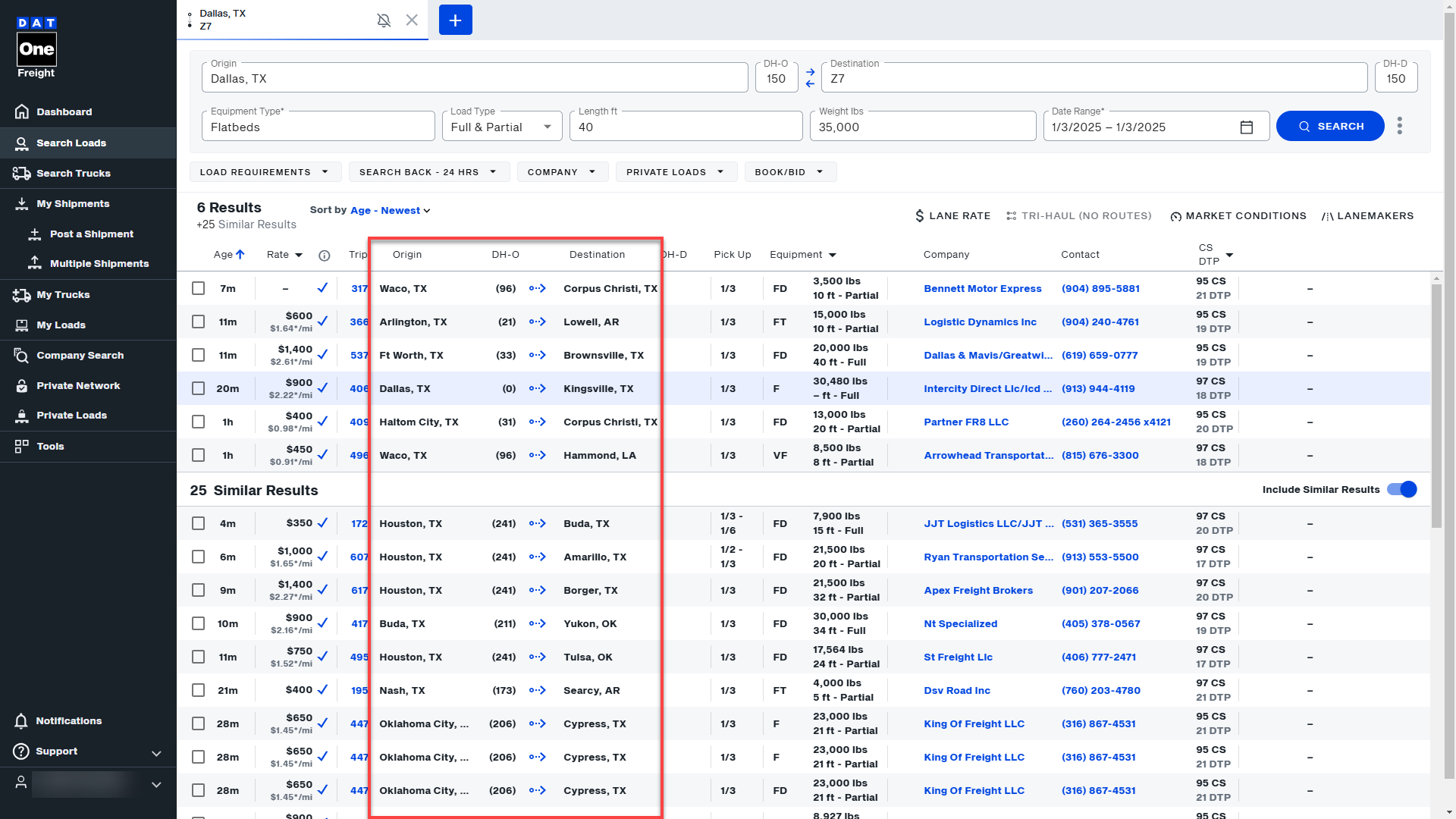
- Screen Resolution and Display Settings:
- Set your screen resolution to a higher setting, such as 1920x1080, as this feature works best on larger screens with higher resolutions.
- Ensure the text size in your display settings is set to 100%. Larger text sizes can prevent the columns from splitting properly.
- Network Settings: Network configurations can sometimes affect data display. Check your network settings or try connecting to another network. If needed, contact your IT team for assistance.
- Antivirus or Ad-blocker Software: Security software can interfere with column splitting. For instance, a customer resolved the issue by temporarily disabling their antivirus software, which included an ad-blocker and real-time protection. Try disabling these features temporarily to see if it resolves the issue.
- Browser Settings:
- Clear your browser cache and cookies to resolve potential display issues.
- Avoid using incognito mode, as it can sometimes interfere with display settings.
- Zoom Settings:
- Check your browser’s zoom level. Zooming in or out can affect column display. Set the zoom to the recommended level for your screen resolution.